
Maple leafCanadian-owned

Create your menu, accept orders, manage everything.

SEE MENU helps restaurants create beautiful QR code digital menus, accept direct customer orders, and manage incoming orders easily from one dashboard. Customers scan, view, order, and receive confirmation — no app download required.

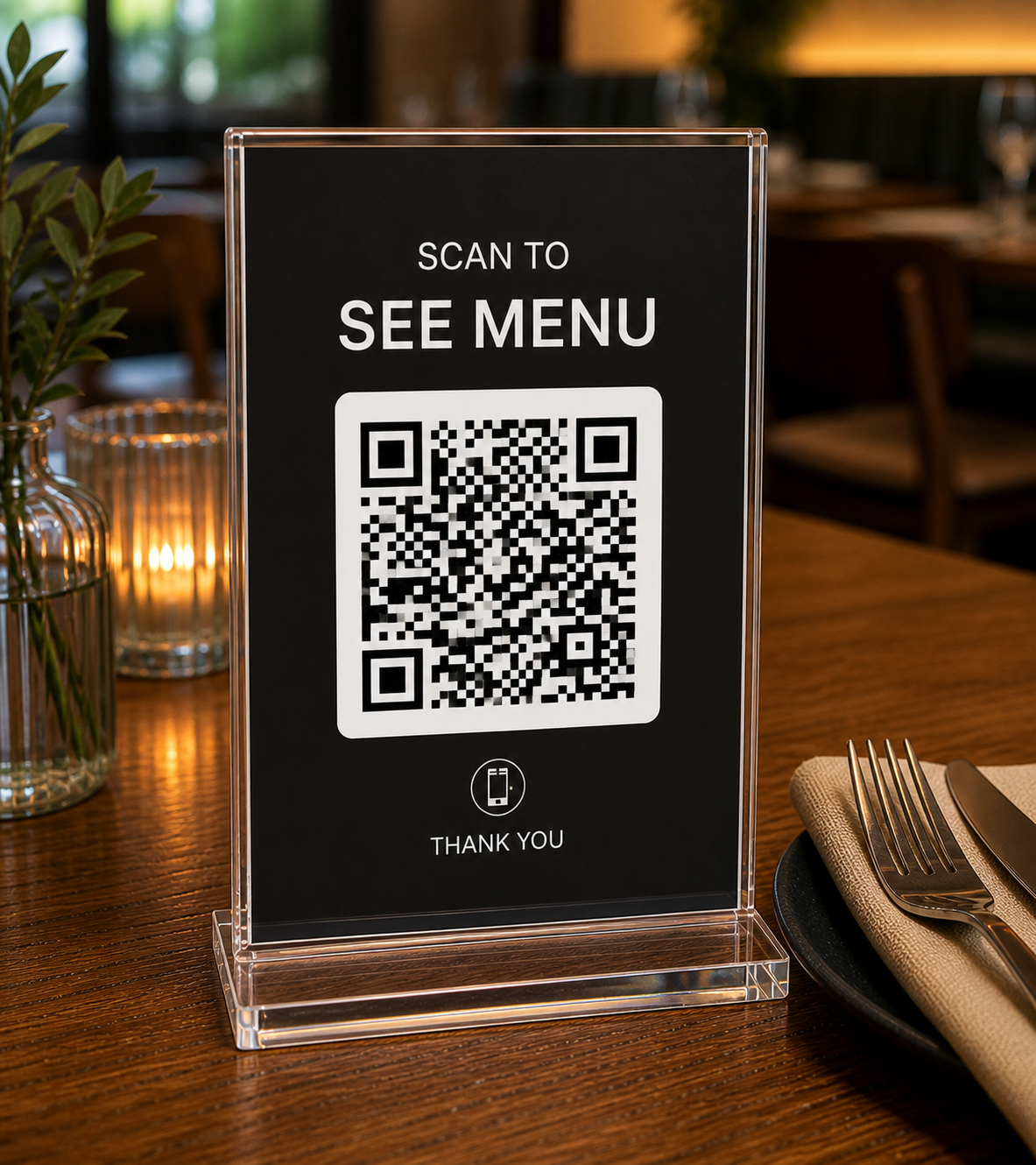
Scan to See Menu — QR code on a restaurant table stand
What you get

Everything a restaurant needs to show and sell.

No app download required for customers. Fast QR menu access, simple direct ordering, and easier order management for restaurants, cafés, food trucks, and local food businesses.

QR Code Digital Menu

Create and share a digital menu using QR codes. Customers scan and instantly view your menu on their phone.

Direct Ordering from the Menu

Customers add items to a basket and submit their order directly from your public menu.

Customer Information Collection

Customers provide their name, phone, email, and whether they are ordering inside or outside your restaurant.

Email OTP Verification

An email verification code helps reduce fake or accidental orders before they are submitted.

Restaurant Order Dashboard

View and manage incoming orders from one clean dashboard during your business day.

Order Status Management

Accept, reject, and update order status so customers always know where things stand.

SMS Order Confirmation

Where configured, customers and restaurants can receive order-related updates by SMS.

Watch the tutorial

See it in motion, in under two minutes.

A quick walkthrough of how to build your menu, pick a theme, enable direct ordering, and put your QR code on every table — so you can hit the ground running.

A guided tour

Seven quiet steps, one unforgettable menu.

See Menu is the workshop, the wardrobe, the storefront and the order desk — built so independent restaurants and shops can create dynamic digital menus, accept direct customer orders, generate QR codes for every table, and instantly update items, prices, specials, and availability in real time based on the day, time, or what's currently in stock.

Step
The editor

Compose your menu with intent.

Categories, descriptions, prices, photography, availability, specials. A calm, ergonomic editor where every detail of your offering finds its proper place.

  • Drag-to-reorder categories & items
  • Inline photos and rich descriptions
  • Tag specials with start & end dates
seemenu.ca/dashboard
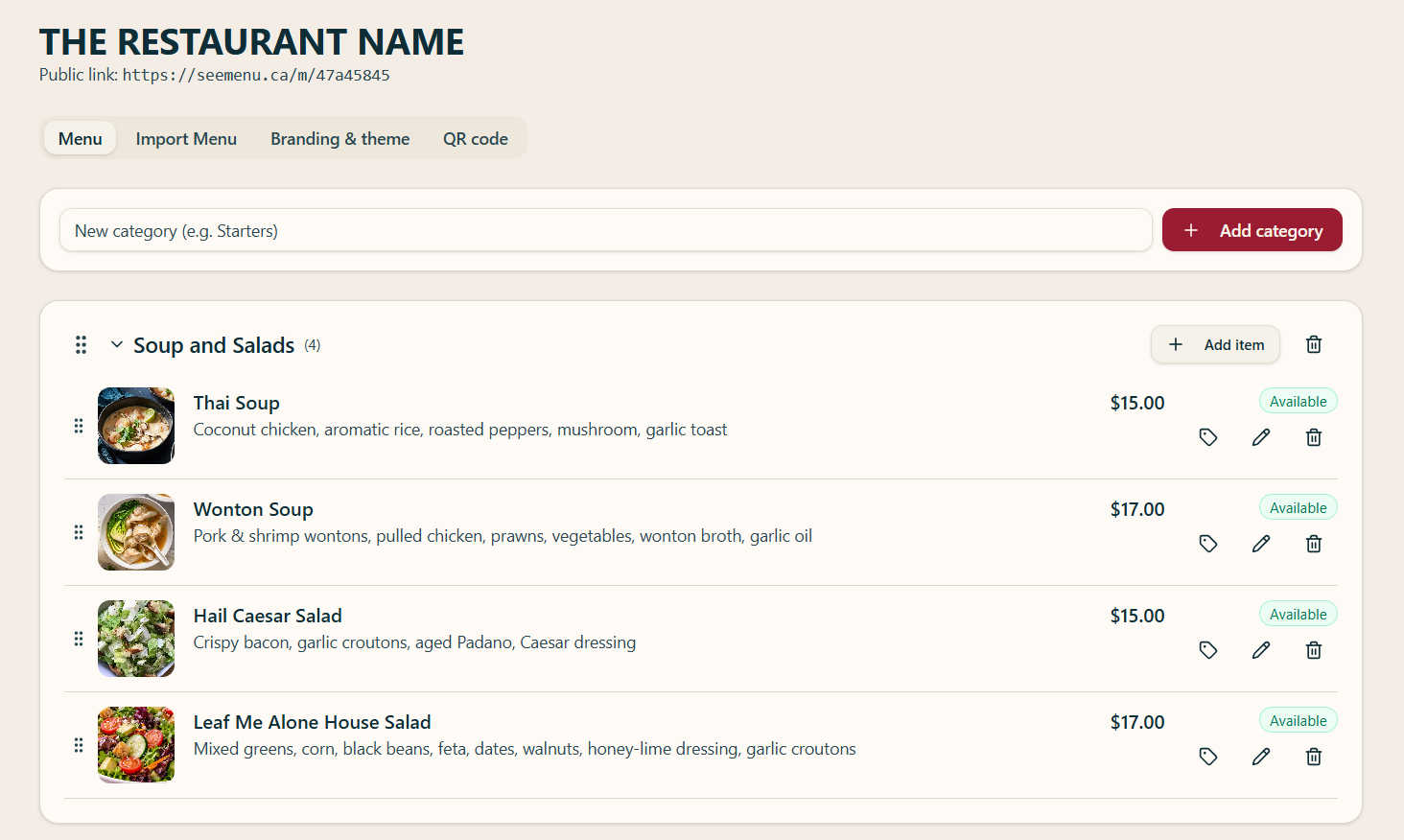
Menu editor with drag-and-drop categories and items
Step
The shortcut

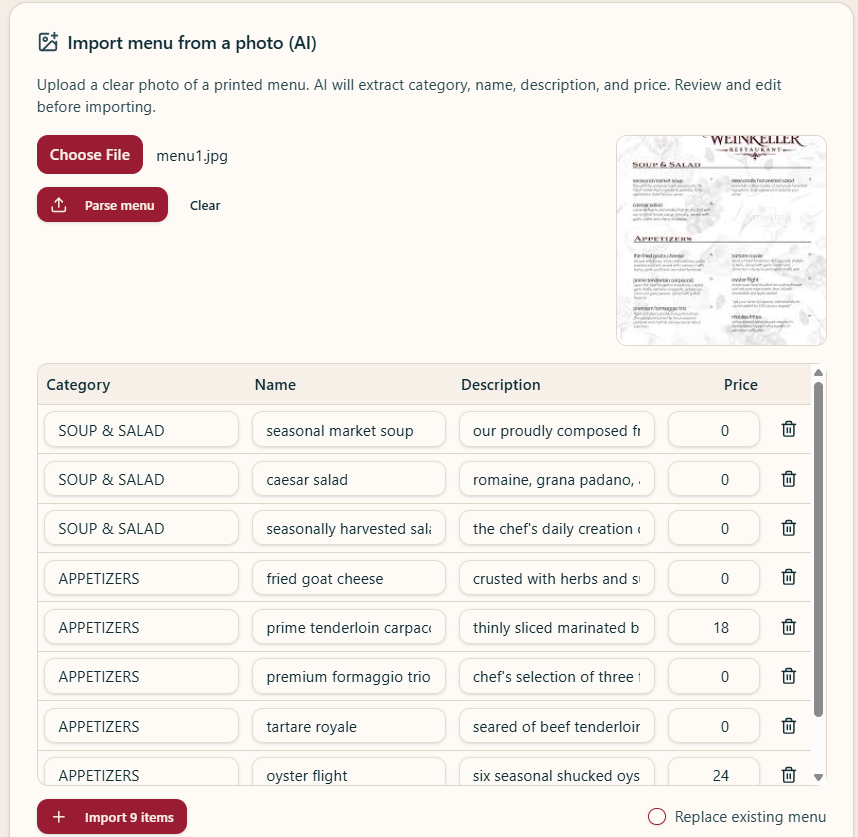
Import from a paper menu with one upload.

Snap a photo of your existing printed menu and our AI parses every category, item, description and price into a clean, editable list — no retyping required.

  • AI reads photos & PDFs
  • Categories, names & prices auto-detected
  • Review and edit before you publish
seemenu.ca/agent
AI menu import screen with uploaded menu photo and parsed items table
Step
The wardrobe

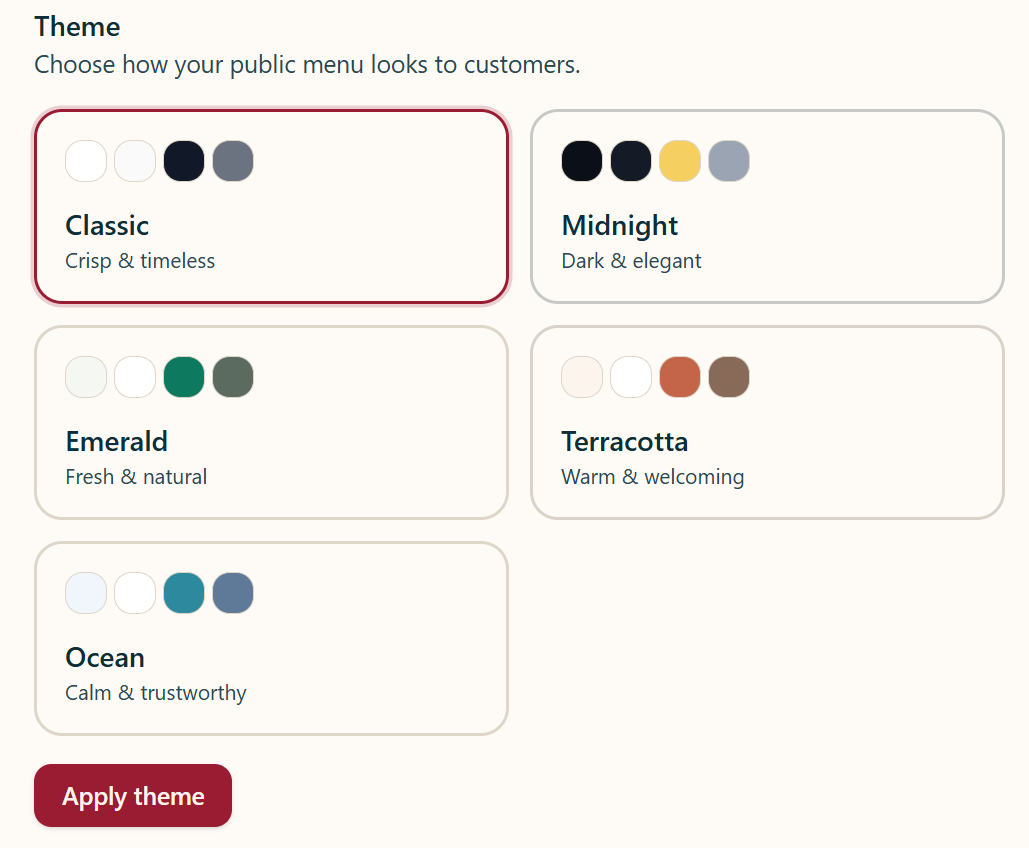
Choose a theme that wears your brand.

Five carefully tuned palettes — Classic, Midnight, Emerald, Terracotta, Ocean. Drop in your logo, apply, and the entire menu inherits a coherent identity.

  • Five hand-tuned color systems
  • Logo, tagline & website built in
  • One click to publish across the menu
seemenu.ca/dashboard/branding
Theme picker showing five color palette options
Step
The handshake

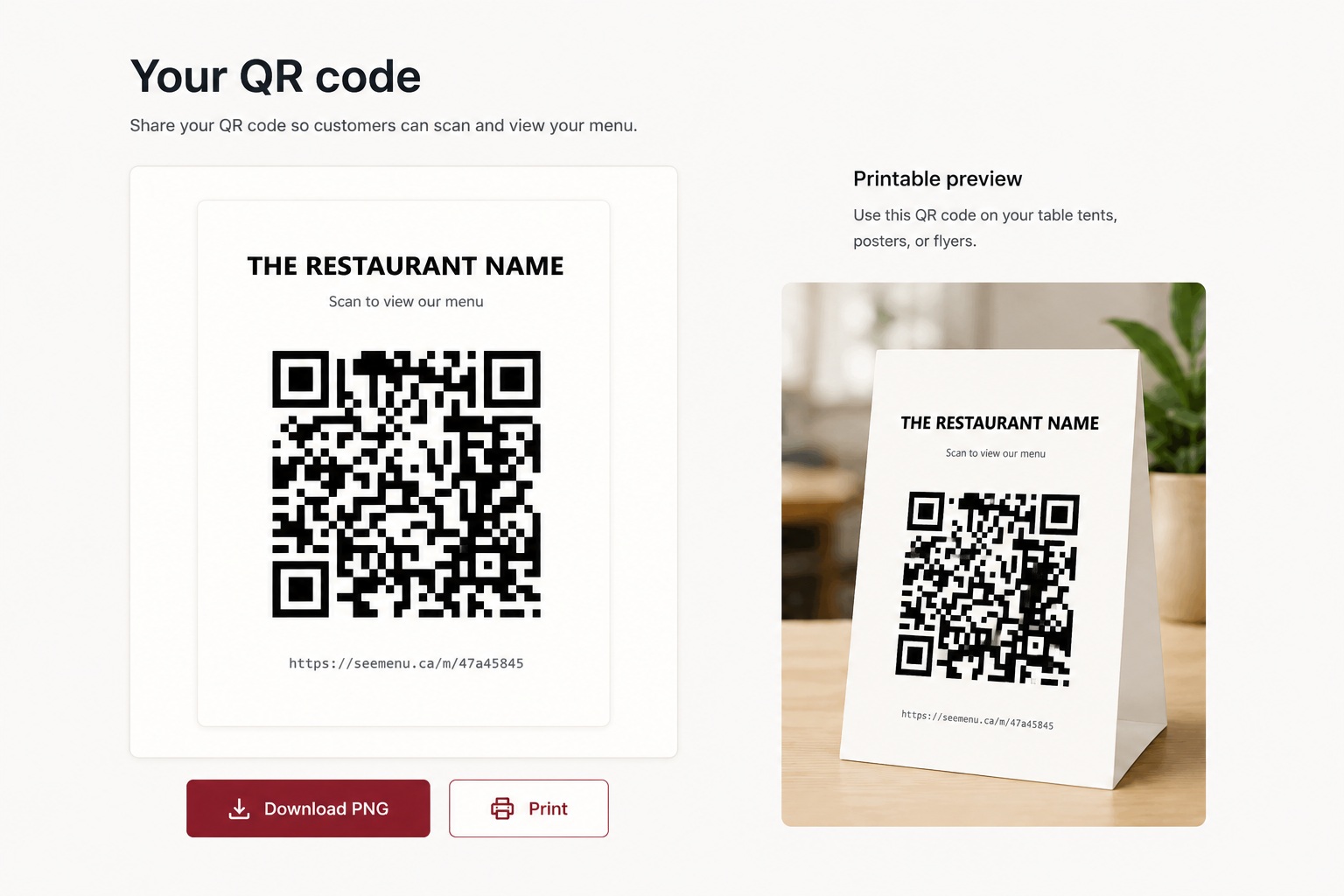
Generate your QR code and put it on every table.

We mint a unique URL and a crisp, scannable QR code for your menu. Download it as a high-resolution PNG or print a ready-made table tent in one click.

  • Unique short URL per menu
  • High-resolution PNG download
seemenu.ca/dashboard/qr
QR code generation screen with download and print options
Step
The guest view

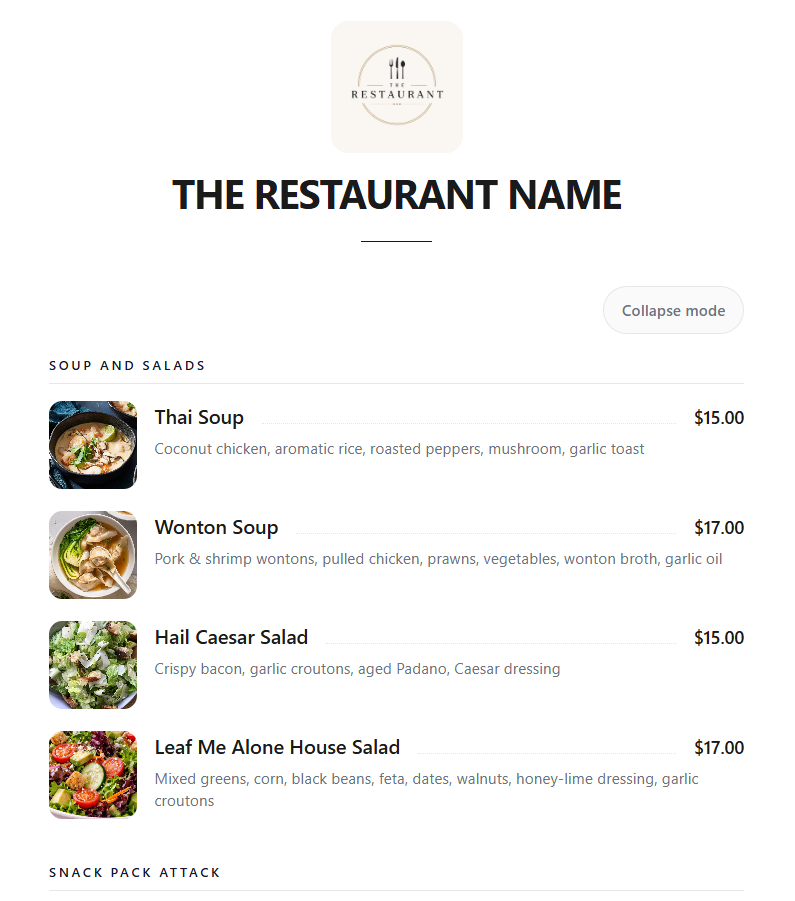
A mobile menu your guests adore.

One scan. No app. Customers land on a fast, typographic, on-brand menu — with live prices, photos, and any special you've published. With Pro+, they can add items to their basket, verify by email, and place their order directly.

  • Loads instantly on any phone
  • Live specials & strikethrough pricing
  • Direct ordering with email verification (Pro+)
Public-facing mobile menu with logo, categories and items
Step
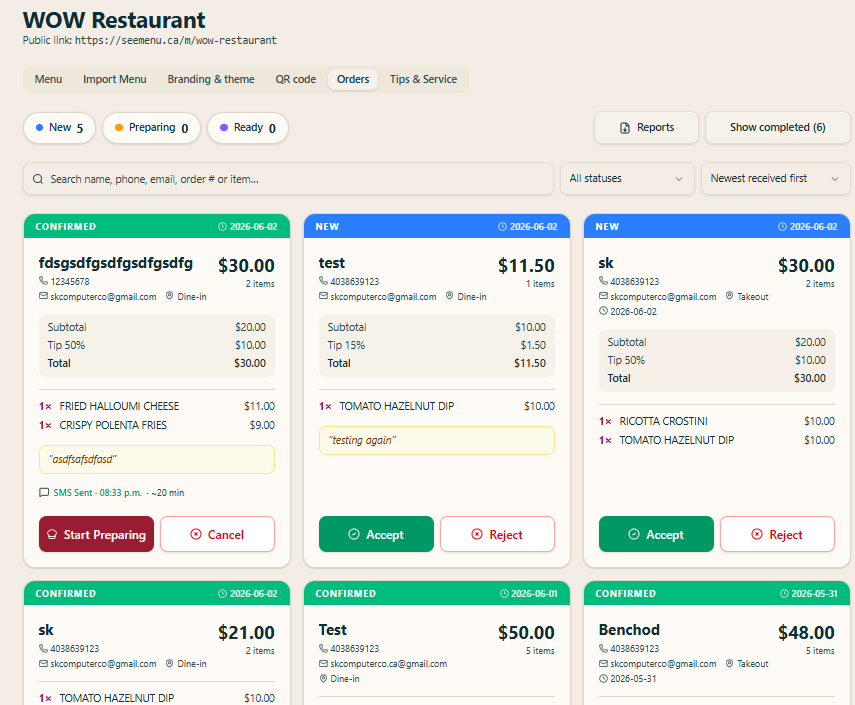
The order desk

Accept orders as they come in.

Incoming orders land on a live dashboard, grouped by New, Preparing and Ready. Review items, tips and customer details, then accept, reject or advance each order — with SMS confirmations where configured.

  • Live order queue: New, Preparing & Ready
  • Accept, reject & update status in one tap
  • Customer details, tips & SMS confirmation
seemenu.ca/dashboard
Restaurant orders dashboard showing incoming order cards with accept and reject actions
Step
The ledger

Report on sales at a glance.

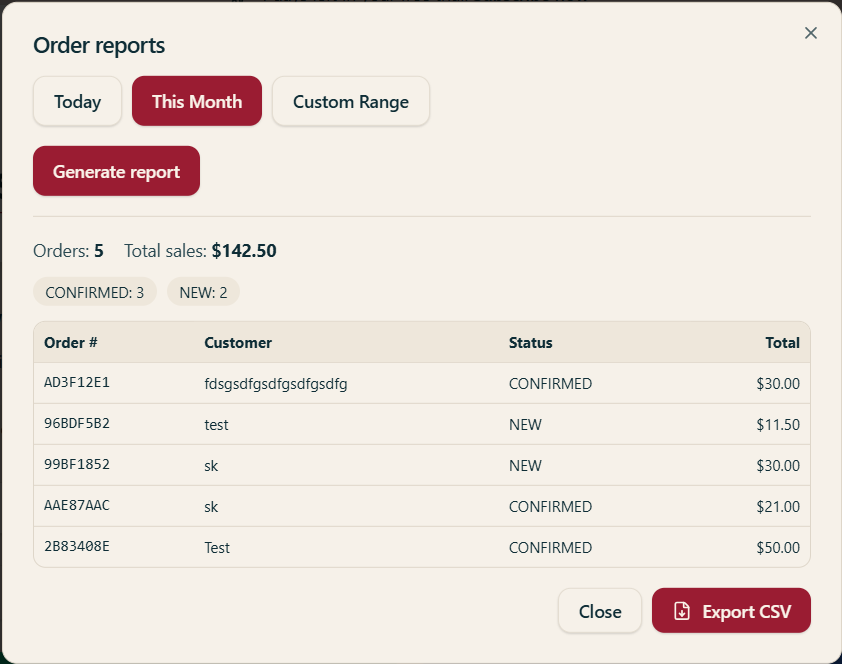
Generate sales reports for today, this month or a custom range. See order counts, total sales and a full breakdown by order — then export everything to CSV for your records.

  • Today, this month or custom date range
  • Order counts & total sales summary
  • Export the full breakdown to CSV
seemenu.ca/dashboard
Order reports dialog showing total sales, order breakdown and export to CSV
We'd love to hear from you

Talk to a real human about your menu.

Questions, feedback, partnership ideas — drop us a line and we'll get back within one business day.